
When people think of digital marketing, they usually imagine the fun parts, social media posts, viral campaigns, cool graphics.
But behind the scenes, there’s a lot of real work that makes marketing actually happen. Especially when you’re running ads on Google.
If you’ve ever wondered how agencies manage so many Google Ads accounts without losing their minds, here’s the secret:
Google Ads Editor.
Okay, But What Is Google Ads Editor?
Let me explain it simply:
Google Ads Editor is a free tool (yes, free!) that helps you manage Google Ads campaigns faster, easier, and offline.
Imagine you’re working inside the Google Ads website (also called the “UI”). You’re creating ads, adding keywords, setting budgets—but you have to click a lot. And if you’re running ads for 10+ clients or hundreds of products? It becomes overwhelming.
Google Ads Editor is like Google Ads’ smarter, faster sibling.
It’s an app you download to your laptop so you can:
- Build ads in bulk (thousands at once if needed)
- Make edits offline (no WiFi? No problem)
- Copy/paste campaigns easily
- Review everything before you post it live
How Does Google Ads Editor Work? (In Simple Terms)
Here’s how it feels when you use it:
1.Download your Google Ads account into the Editor app.
Think of it like downloading a file so you can edit it on your laptop.
2.Make all your changes offline.
Want to update headlines, budgets, or targeting for multiple campaigns? You can do it all at once in Editor.
3.Check for mistakes.
Google Ads Editor shows you alerts if something looks off—so you can fix it before publishing.
4.Post the changes back to Google Ads when you’re ready.
Click “Post,” and everything goes live at once.
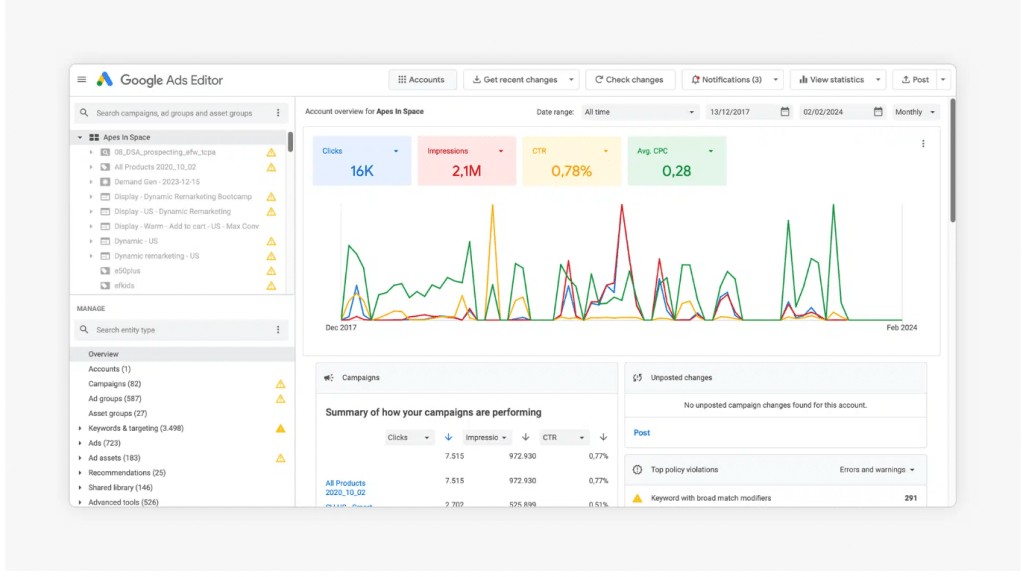
Screenshot of Google Ads Editor showing campaign overview, performance graphs, and editing tools. A look inside the Google Ads Editor dashboard, where you can manage thousands of ads offline and in bulk.
Why Do Agencies Use It?
Most marketing agencies (and freelancers who run ads) prefer Google Ads Editor because:
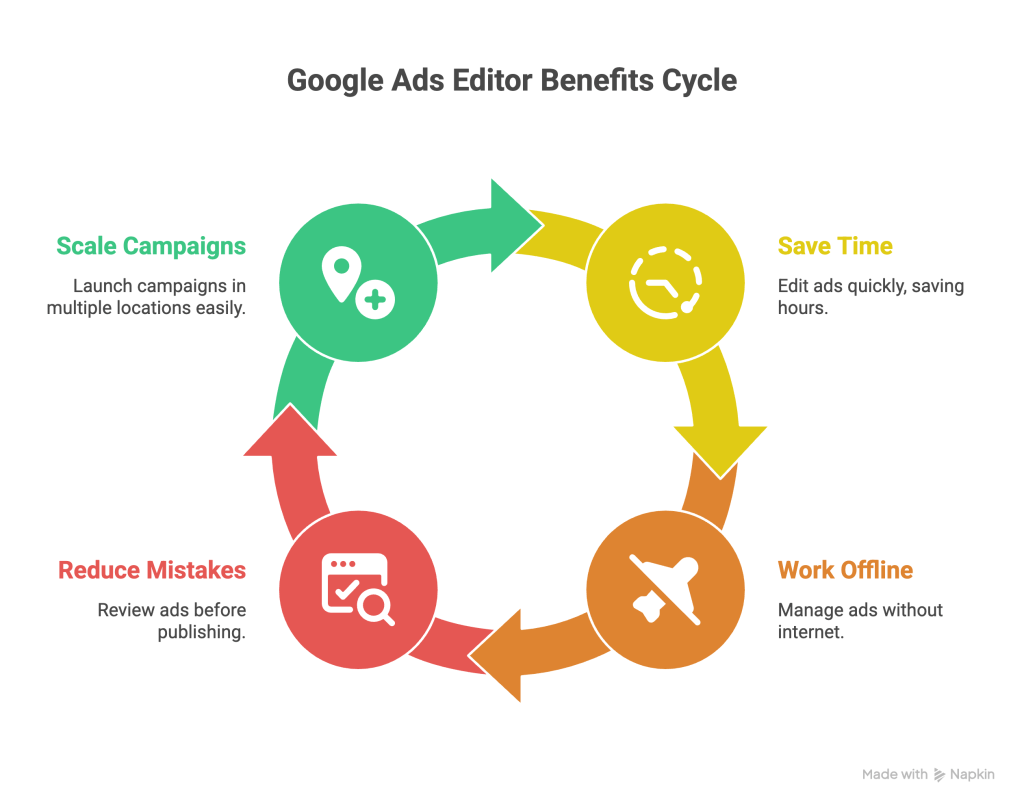
How Do Marketing Agencies Use Google Ads Editor?
Marketing agencies manage lots of clients at the same time. That means:
- Multiple Google Ads accounts
- Hundreds of campaigns
- Thousands of ads, keywords, and settings
Doing all of that directly inside the Google Ads website would take forever. That’s why agencies rely on Google Ads Editor to get the job done efficiently.
Here’s How Agencies Use It
1.Download All Account Data
Agencies first download their accounts into Google Ads Editor. This gives them a full snapshot of every campaign, ad group, ad, and keyword, Why Marketers Need Google Ads Editorright on their desktop.
2.Make Bulk Changes Offline
Need to change the headline in 200 ads? Or update the budget for 50 campaigns? Agencies do it all at once in Ads Editor instead of clicking through each ad manually.
3.Copy and Paste Across Accounts
Agencies often work with multi-location businesses (think real estate companies, restaurants, apartment communities, etc.). Google Ads Editor lets them copy the same campaign template and paste it into different locations, quickly changing city names or targeting. It saves hours.
4.Run Error Checks
Before anything goes live, agencies use Ads Editor’s “Check Changes” tool to catch mistakes, like missing URLs or typos. This prevents problems before they happen.
5.Post the Changes Live
Once everything looks good, the team hits “Post” and sends the changes back into Google Ads. Everything updates at once.
Why This Matters
Without Google Ads Editor, agencies would spend way too much time doing repetitive tasks.
With it, they can:
- Launch huge campaigns faster
- Manage multiple clients easily
- Avoid human error
- Scale ads for different cities, services, or products without starting from scratch
That’s why almost every digital marketing agency uses it, and why it’s a must-learn tool if you want to work in Google Ads.
Key Benefits at a Glance
| What It Does | Why It Matters |
|---|---|
| Works Offline | You can work anywhere, anytime |
| Bulk Editing | Change hundreds of ads fast |
| Copy/Paste Campaigns Easily | No need to rebuild from scratch |
| Draft Review Before Posting | Avoid costly mistakes |
| Faster Campaign Management | Save hours of manual work |
Final Thought
Marketing isn’t just about creative ideas, it’s about knowing the tools that make those ideas happen.
Google Ads Editor might not be as flashy as a TikTok trend or a cool campaign video, but it’s the tool that keeps everything running in the background. And if you’re serious about digital marketing, it’s one of the most practical skills you can learn.
 Mansi's Blog
Leave a comment